
If you want to control your Android phone from a PC, scrcpy vs Vysor is one of the most common comparisons you will find.
Both tools allow you to mirror and control an Android device from your computer, but they differ significantly in performance, features, pricing, setup, and ease of use.
So, which one should you choose? In this guide, we compare scrcpy vs Vysor to help you understand which Android screen mirroring tool is better for gaming, productivity, development, screen recording, and everyday use.
What is SCRCPY?
SCRCPY is an open-source tool used for mirroring your Android screen and controlling the device from Windows, Mac OS, or Linux devices.
SCRCPY uses Android Debug Bridge to create a connection between your Android device and your computer. It does not require a separate app for mirroring on your Android device.
Some of its key features include:
- Free and open-source
- Low-latency screen mirroring
- USB and wireless connection
- Control through keyboard and mouse
- Screen recording
- Audio redirection on supported devices
- Clipboard synchronization
- APK installation
- Custom resolution and bitrate
- Command-line controls
- No root access required
This is what makes SCRCPY especially favored by developers, gamers, testers, and sophisticated Android users.
What is Vysor?
Vysor is an Android screen mirroring and remote-control tool intended to enable users to connect to their Android phones using a PC.
In contrast to SCRCPY, Vysor places emphasis on ease of use, which is achieved through the provision of a user-friendly graphical interface.
This tool can be used on a number of operating systems such as Windows, macOS, Linux, and ChromeOS.
Depending on the version and plan, Vysor provides features such as:
- Android screen mirroring
- Keyboard and mouse control
- USB connectivity
- Wireless connectivity
- Screen sharing
- Higher-quality mirroring options
- Additional features through paid plans
SCRCPY vs Vysor: Quick Comparison
| Feature | SCRCPY | Vysor |
| Price | Free | Free + Paid Plans |
| Open Source | Yes | No |
| Android App Required | No | Setup may require Vysor components |
| USB Connection | Yes | Yes |
| Wireless Connection | Yes | Yes |
| Screen Recording | Yes | Available depending on version |
| Latency | Very Low | Low to Moderate |
| Performance | Excellent | Good |
| Command-Line Controls | Yes | Limited |
| Gaming | Excellent | Good |
| Ease of Use | Moderate | Very Easy |
| Root Required | No | No |
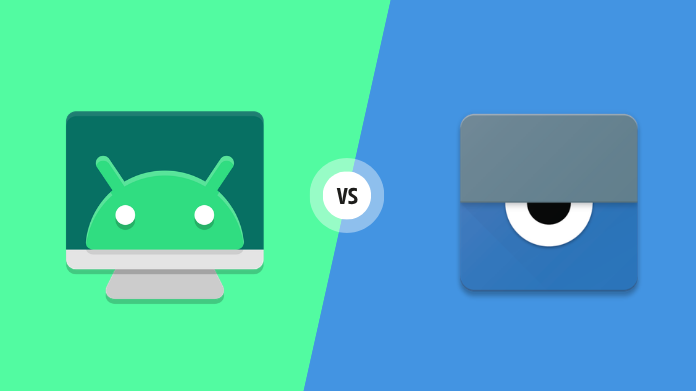
SCRCPY vs Vysor – Features & Performance Compared
1. Performance
Performance becomes one of the key points of comparison between scrcpy and Vysor.
The program is created to be fast and compact. The application transmits the Android display to your computer, but gives you the opportunity to manage the phone via keyboard and mouse.
Moreover, you get different ways to control resolution, bitrate, framerate, and other streaming settings.
Vysor also offers smooth Android screen mirroring, especially for basic operations like texting, browsing, presentations, and demonstrations of applications.
However, those who strive for maximum performance and more streaming settings will prefer SCRCPY.
2. Latency
The issue of latency may have a huge effect on managing your Android phone via a PC.
It is possible that for simple things like reading your messages and surfing the internet, latency won’t matter at all. Nevertheless, latency comes into play in case of gaming, testing, etc.
SCRCPY is well-known for its ability to provide users with low-latency performance, especially when the device is connected by means of a USB cable.
Vysor may give you responsive control, yet SCRCPY has more features that help experienced users customize their connections.
3. Ease of Use
This is where Vysor has an advantage.
Vysor is based on a GUI, which makes this software product quite easy to understand and manage.
To use SCRCPY, you should be more technically savvy. It may be necessary to download and install ADB, set up USB debugging, connect your Android phone, and finally launch SCRCPY.
Nevertheless, after completing all these operations, using SCRCPY becomes quite easy.
4. Features
When it comes to features, scrcpy vs Vysor is a close comparison for basic users, but SCRCPY offers more advanced configuration options.
With SCRCPY, you can customize:
- Resolution
- Bitrate
- Frame rate
- Video codec
- Screen orientation
- Window size
- Audio settings
- Screen recording
- Screen-off mode
- Clipboard synchronization
- Stay-awake behavior
SCRCPY also supports a wide range of command-line parameters.
Vysor focuses more on providing essential functionality through its graphical interface.
5. Gaming
For gaming on Android, choosing between scrcpy vs Vysor gets even more critical due to the impact latency has on the gaming experience.
The better solution for playing games using Android would be SCRCPY, as it gives low-latency screen mirroring along with support for keyboard and mouse controls.
Using a USB connection to connect the two devices helps get rid of network-induced lag as compared to wireless screen mirroring.
The casual gamer may use Vysor, but those requiring responsive controls and a higher degree of customization will go for SCRCPY.
It should also be kept in mind that screen mirroring cannot make an Android game a PC game.
6. USB and Wireless Connectivity
Both tools support connecting an Android device to a computer.
SCRCPY can be used over USB and can also be configured for wireless connections. USB is generally recommended when you want the most consistent performance and lowest possible latency.
Wireless mirroring provides greater freedom because you don’t need to keep the phone physically connected to the computer.
Vysor also supports USB and wireless connectivity, depending on the available features and version.
7. Pricing
Price is another major difference between scrcpy and Vysor.
SCRCPY is free and open source software. One doesn’t need to buy a subscription to take advantage of its basic functions of mirroring and controlling.
Vysor offers a free version, while some advanced functionality may require a paid plan.
If you want a powerful Android mirroring tool without paying for premium features, SCRCPY offers excellent value.
8. Screen Recording
SCRCPY has screen recording capabilities built in.
You can record your Android screen right from your computer; it’s good for:
- Creating tutorials
- Recording app demonstrations
- Troubleshooting
- Software testing
- Creating gaming videos
- Demonstrating Android features
Apart from the ability to provide screen sharing, Vysor may offer more features, depending on the specific version that you use.
For people who wish to frequently capture videos from their Android device, SCRCPY comes in handy.
9. SCRCPY vs Vysor for Developers
Developers have certain needs that differ from those of average users; hence the need to compare scrcpy vs Vysor for Android developers.
SCRCPY works seamlessly with ADB and offers a lot of command-line options, which makes it applicable for debugging, testing applications, and Android devices.
Additionally, developers can integrate SCRCPY with other ADB commands in order to make testing easier.
The need for visual illustration of the Android device without using a lot of command lines justifies the use of Vysor.
Which One Should You Choose?
The best choice depends on how you plan to use the software.
Choose SCRCPY if you:
- Looking for a totally free solution
- Like open source software
- Low latency mirroring needed
- Advanced functionality required
- Screen recording needed
- USB & Wireless capability required
- Using Android mirroring for gaming
- Developer or advanced user
- Many command line options wanted
Choose Vysor if you:
- Easy to use interface preferred
- Graphical setup preferred
- Not interested in command line usage
- Need basic Android screen mirroring
- Primarily use mirroring for demonstrations or productivity
Final Verdict
If you prefer speed, flexibility, superior control, and efficiency, SCRCPY is the way to go. If you care more about simplicity and usability, Vysor is the way to go.
It all depends on your particular needs in the end. If you are willing to spend some time setting things up initially, SCRCPY will provide you with a combination of speed and features that doesn’t need to be paid for.