
If you seek an easy method of mirroring and controlling your Android smartphone through your computer, you must have heard about SCRCPY.
This application is very popular owing to its lightweight nature and because it can work both via USB and network connections without requiring root access.
But before using any tool that can interact with your Android device, it’s reasonable to ask: Is SCRCPY safe?
In general, SCRCPY is considered safe when downloaded from its official source and used correctly.
However, like any software that connects your phone to a computer, there are a few security and privacy points worth understanding.
What is SCRCPY?
SCRCPY is an open-source application that lets you display and control an Android device from a Windows, macOS, or Linux computer.
It uses Android Debug Bridge (ADB) to communicate with your phone. You can use it to:
- Mirror your Android screen
- Control your phone with a keyboard and mouse
- Transfer files
- Record your Android screen
- Copy and paste between devices
- Run Android applications from your computer
- Use your phone while keeping the display on your computer
One of its biggest advantages is that it doesn’t require root access or a separate app to be installed on the Android device.
Is SCRCPY Safe?
Yes, SCRCPY can be considered safe to use, assuming that you obtain it from a reliable source.
The official SCRCPY project is open source; thus, its source code is available for examination.
It is more transparent to use an open-source application compared to a closed one, which you may download from some arbitrary site.
Nevertheless, the safety of your configuration will depend on the source where you download SCRCPY and your Android configuration.
Is SCRCPY Safe to Download?
The safest choice would be to obtain SCRCPY from the official source, like scrcpy.net
Don’t download any altered or repacked versions of SCRCPY from websites you do not know.
Even if a site claims to have the latest version of the software available, there is no guarantee that it won’t be an altered one.
Furthermore, it is advisable to ensure that your security software, such as Windows Defender, is always updated whenever you run any executable files from the download process.
Is SCRCPY Safe for Your Android Phone?
SCRCPY uses ADB in order to communicate with Android. This means that your Android device must be configured to use USB debugging while on a USB connection.
USB debugging grants extra permission to the connected computer via ADB. Thus, it is important to ensure that only trusted computers are given access.
When your phone displays the “Allow USB debugging?” prompt, check the computer you’re connecting to before accepting it.
Does SCRCPY Access Your Personal Data?
Mainly, scrcpy is used to mirror and control the Android device. There is no need for SCRCPY to have access to any online account or personal data that you might have on your device just by virtue of its being there.
Nevertheless, there are certain aspects of SCRCPY that make it interact with your device via ADB. This will depend on the commands or features that you use.
So the important point is:
SCRCPY itself doesn’t mean that all of your personal data is automatically exposed, but ADB provides powerful device access that should only be used with trusted computers.
Is SCRCPY Safe to Use Over USB?
USB is generally the simplest way to use SCRCPY.
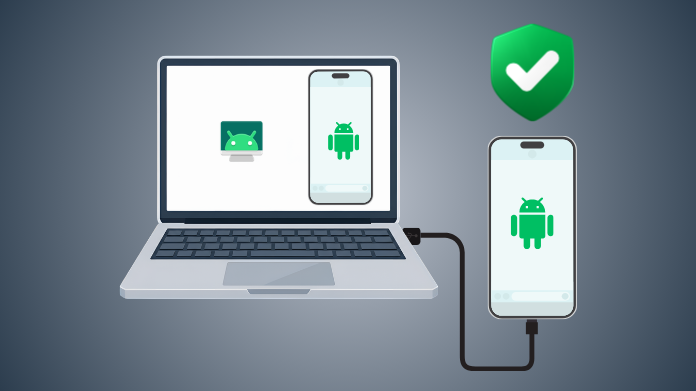
With USB, your Android device will establish a direct connection to your computer using the USB cable. In most cases, you will need to enable USB debugging and authenticate the computer.
This is a simple connection since you are connecting the phone to the computer physically.
After the job is done, you can disconnect your device and turn off USB debugging if it is not required.
Is SCRCPY Safe Over Wi-Fi?
SCRCPY can also work over a network connection, which makes wireless screen mirroring possible.
However, network-based ADB deserves more attention from a security perspective because the device is no longer communicating only through a physical USB connection.
If you’re using wireless ADB or SCRCPY over Wi-Fi:
- Use a trustworthy private network.
- Avoid exposing ADB services to the public internet.
- Avoid connecting through an unknown/untrusted network.
- Disable wireless debugging when you are done using it.
- Keep Android and SCRCPY updated.
For most users, USB is the simpler option if security and ease of setup are the main priorities.
Is SCRCPY Safe for Privacy?
SCRCPY is designed primarily as a local screen-mirroring and device-control tool. The open-source nature of the project also allows its implementation to be examined publicly.
Still, privacy depends on how you use it.
For example, if you are casting the display from your mobile phone to a computer, then whatever is shown on your phone may be visible on that computer.
Do not use SCRCPY on any computer that you do not trust, especially when your mobile phone is casting any sensitive data.
What Are the Main Security Risks?
The major threat is not actually SCRCPY but rather the environment in which it is being used.
1. Downloads From Unauthorized Websites
Unauthorized downloads may include unwanted software.
2. Authorizing an Unknown Computer
ADB authorization gives a computer more access to your Android device. Never approve a computer you don’t recognize.
3. Leaving USB Debugging Enabled
USB debugging isn’t something you need to keep enabled all the time. If you don’t use it regularly, consider turning it off when you’re finished.
4. Using Wireless ADB Carelessly
Wireless debugging can be convenient, but you should avoid using it on networks you don’t trust.
5. Using SCRCPY on a Shared PC
A shared computer may expose whatever you’re displaying or controlling through SCRCPY. Use a trusted personal computer whenever possible.
Our Thoughts
SCRCPY is generally safe to use when obtained from its official source and used with a trusted computer.
The fact that SCRCPY is an open-source project with a simple interface and no need to install an Android companion application makes it a good choice.
It should be noted that, just like any other software that involves ADB, the most important thing is to make sure you know who will be able to access your phone and authorize a particular computer.